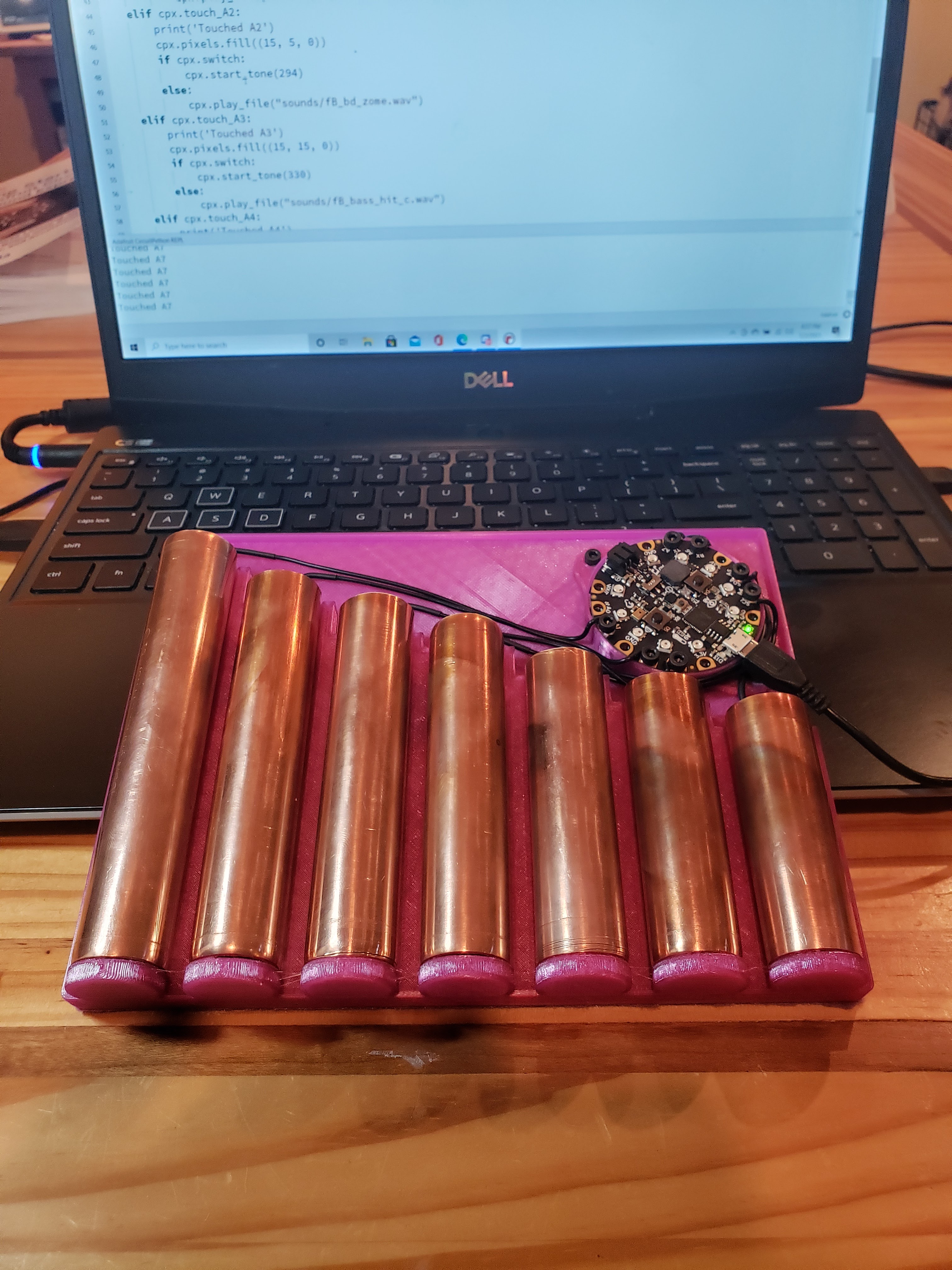
After a few hours of playing with AdaFruit’s Circuit Playground Express I found myself wanting to explore the 7 onboard Capacitive Touch inputs. To that end I created a simple HCI to allow me to expand my “playground.
The STL file for the board is available on MyMiniFactory here. While designing the board I knew I wanted to mount the Circuit Playground in place. Designing a mount didn’t seem that hard but in an effort to save an hour I did a quick search on MyMiniFactory and found Vladimir Mariano’s wonderful model. It’s clear that Vladimir knows his stuff, as this model does exactly what it should in a small and elegant formfactor. The tolerances are perfect and the nuts tap in with exactly the correct force. Ahhh…. Perfection!
While the idea was to create a capacitive touch interface for many experiments the first example mapped the inputs to the music scale from 262Hz to 494Hz so I set the pipe lengths to relate to the wavelengths of those frequencies. To that end I cut and polished 7 lengths of copper water pipe to 126.5mm, 112.6mm, 100.3mm, 95mm, 84.5mm, 75.2mm, and 67mm respectively.
Here is a little simple CircuitPython to test the setup with:
# DPL Gear Pipe Synth Demo
# Based on the work of Kattani Rembor for Adafruit Industries
from adafruit_circuitplayground.express import cpx

print("DPL Gear Pipe Synth Booting")
print("Settings")
cpx.pixels.brightness = 0.3
cpx.adjust_touch_threshold(600)  # need to bump this up due to copper pipes

# A Perfect 5th is 3:2 ratio of frequency
startFreq = 196
n1Freq = startFreq * 1.5
n2Freq = n1Freq * 1.5
print("Start Freq: " + str((startFreq, n1Freq, n2Freq)))

# Startuptune and lights
cpx.pixels[1] = (50, 0, 0)
cpx.pixels[9] = (50, 0, 0)
cpx.play_tone(startFreq, 0.25)
cpx.pixels[2] = (0, 50, 0)
cpx.pixels[8] = (0, 50, 0)
cpx.play_tone(n1Freq, 0.25)
cpx.pixels[3] = (0, 0, 50)
cpx.pixels[7] = (0, 0, 50)
cpx.play_tone(n2Freq, 0.25)
cpx.pixels[4] = (10, 10, 10)
cpx.pixels[6] = (10, 10, 10)
cpx.play_tone(n2Freq * 1.5, 0.5)

while True:
    if cpx.touch_A1:
        print('Touched A1')
        cpx.pixels.fill((15, 0, 0))
        cpx.start_tone(262)
    elif cpx.touch_A2:
        print('Touched A2')
        cpx.pixels.fill((15, 5, 0))
        cpx.start_tone(294)
    elif cpx.touch_A3:
        print('Touched A3')
        cpx.pixels.fill((15, 15, 0))
        cpx.start_tone(330)
    elif cpx.touch_A4:
        print('Touched A4')
        cpx.pixels.fill((0, 15, 0))
        cpx.start_tone(349)
    elif cpx.touch_A5:
        print('Touched A5')
        cpx.pixels.fill((0, 15, 15))
        cpx.start_tone(392)
    elif cpx.touch_A6 and not cpx.touch_A7:
        print('Touched A6')
        cpx.pixels.fill((0, 0, 15))
        cpx.start_tone(440)
    elif cpx.touch_A7 and not cpx.touch_A6:
        print('Touched A7')
        cpx.pixels.fill((50, 0, 15))
        cpx.start_tone(494)
    elif cpx.touch_A6 and cpx.touch_A7:
        print('Touched A6 and A7')
        cpx.pixels.fill((15, 0, 15))
        cpx.start_tone(523)
    else:
        cpx.pixels.fill((0, 0, 0))
cpx.stop_tone() DPL Gear